
No-Code Signal Builder
Build a trading strategy the same way you’d describe it out loud. No coding required.
- RSI14crosses below30Buy
- Candle close priceis aboveSMA50Buy
Buy when 2 of 2 conditions agree
If your strategy is “buy when RSI drops below 30 and price is above the 50-period moving average,” you can build exactly that in Botico’s visual editor. Pick the indicators, set the thresholds and chain the conditions together, without writing a single line of code or learning a platform-specific scripting language.
How it works
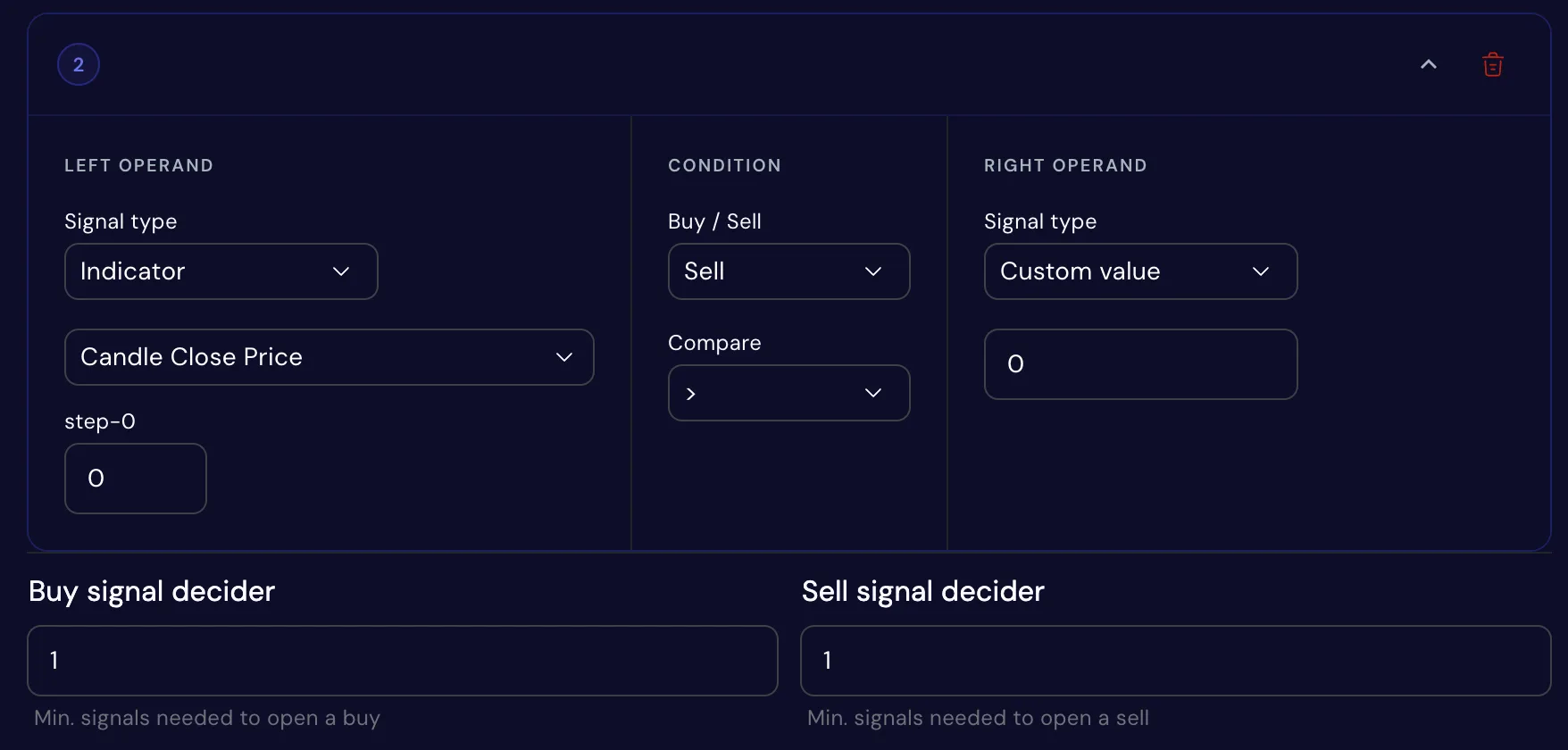
Add your conditions. Each one compares two things: an indicator, the price or a number you type in.
Tag them buy or sell. Then set how many have to agree before the bot buys, and how many before it sells.
Test it, then run it. Backtest the strategy on real market history, then run it on paper or live.
Compare anything to anything
Every condition has two sides, and each side can be an indicator, the raw price or a fixed number you type in. The same tool builds “RSI below 30,” “price above the 50-period moving average” and “the 10-period EMA above the 50-period EMA.”
Seven comparison types cover it, from greater than, less than and equals to crosses above and crosses below. The crossing ones catch the moment one line overtakes another, the backbone of most crossover strategies.
40+ indicators, every category covered
Moving averages, momentum, volatility, volume and trend strength are all there, and you can combine them freely in a single strategy. Each indicator keeps its own settings, such as its period, so a 14-period RSI and a 7-period RSI work as two different signals.
- Moving averages
- SMAEMAWMADEMATEMAHMAand more
- Momentum
- RSIStochasticStochRSIMACDCCIWilliams %RROC
- Volatility
- Bollinger BandsKeltner ChannelDonchian ChannelATR
- Volume
- OBVMFIAD
- Trend strength
- ADXDMIAroon
Buy and sell don’t have to mirror each other
Each condition is tagged as a buy or a sell condition on its own, so your sell logic doesn’t have to be the inverse of your buy logic. Buy on an RSI dip and sell on a moving average crossover, or exit at a simple take-profit level, whatever matches how you actually think about closing a position.
Buy and sell each get their own minimum too, so you can be strict about getting in and quick about getting out, or the other way around.
Require “enough” conditions, not all of them
Real markets rarely line up every signal at once. Instead of an all-or-nothing match, set how many conditions need to be true before the bot acts, say 2 out of 4, separately for buy and for sell.
A higher number makes the bot pickier and slower to act. A lower one lets it trade more often. Backtest both and let the results decide.
A built-in check also flags when you compare two things on different scales, like an oscillator against a raw price, so an obviously broken condition gets caught before you ever run it.
See exactly why a signal fired, or didn’t
Every trade, whether live, paper or backtested, comes with a breakdown of every condition that was checked: the left side, the comparison, the right side and a pass or fail mark, plus how many conditions were met out of how many were needed. No guessing why the bot acted, or didn’t.
The Indicator Log goes further and records every candle, including the ones where your bot checked its conditions and decided to wait.
| Left side | Compare | Right side | Result |
|---|---|---|---|
| RSI (14)27.8 | crosses below | 30 | Met |
| Candle close price64,210.50 | is above | SMA (50)63,874.20 | Met |
| ADX (14)18.6 | is above | 25 | Not met |
| 2 of 3 conditions met, 2 needed | Buy | ||
Don’t start from a blank canvas
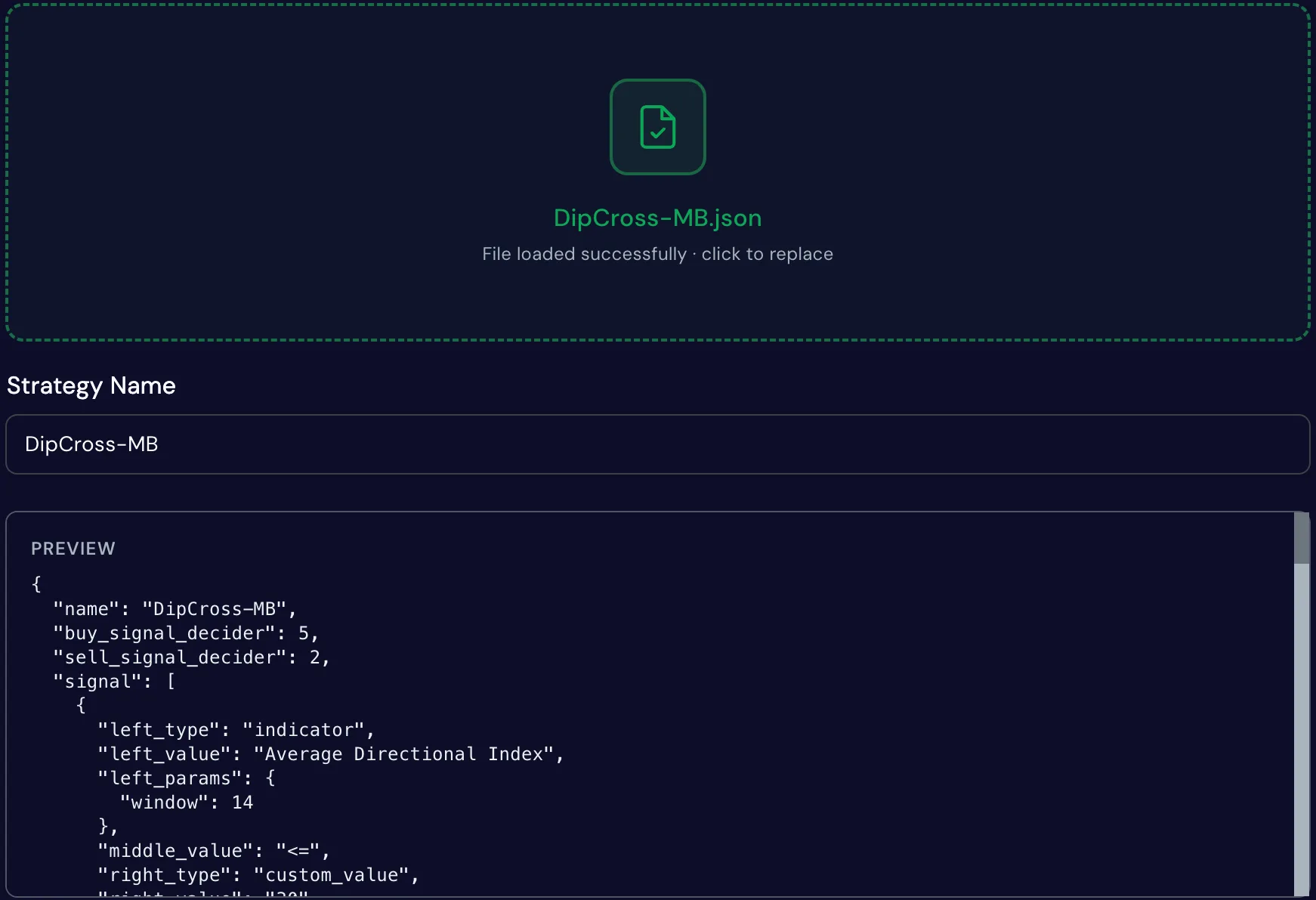
Upload a strategy as a JSON file and Botico maps its indicator names onto its own catalog automatically, even if the file uses a different name or alias for the same indicator. You see a preview before the strategy is created, and once it’s in, you can backtest it and run it like any other strategy.
Or skip building entirely: copy a ready-made strategy from the Strategy Library in one click, then edit it like any strategy you built yourself. Library strategies are long-only: they buy, then sell to close.
Common questions
No. Every condition is built by picking from dropdowns and typing numbers, not by writing a formula or script.
Yes. Buy and sell conditions are independent sets, and nothing requires them to mirror each other.
That’s what the minimum signals setting is for. Require any number up to the total, not all of them, and set it separately for buy and for sell.
More than 40, across moving averages, momentum, volatility, volume and trend strength. You can combine as many conditions as you want in one strategy.
Yes. Upload it as a JSON file. Botico maps its indicators onto its own catalog, even when the file uses different names for them.
Yes. Every trade comes with a breakdown of the conditions it checked, and the Indicator Log records every candle, including the ones where the bot decided to wait.